Hey let me introduce myself. I'm Alex Partridge I am 20 years old and from Dublin and currently studying Creative Digital Media at TU Dublin. I am now in second year, I'm super excited to be on campus and meet new people. My goal this semester is to achieve a grade to my best ability and learn new skills, such as collaborating new ideas with my peers in group projects. I also want to enhance my skills in areas of filming and editing this semester. My goal this year is not to leave assignments to "last minute" and try and balance college work and social life. Last year was bittersweet, as I made new friends it was a bummer I wasn't on campus due to covid. The modules I relished last semester was Design Process and Practice and Image Production. I got to learn learn several new skills for instance how to use Adobe Illustrator and Photoshopped software. My biggest accomplished last semester was creating a movie poster for "Avatar the last Airbender" and...
I used my own images to create a collage of my adorable pets! I used to make collages years ago anytime it was my friends or family birthdays and post them on social media. Creating a collage was like second nature to me. I had fun with this task. I used Canva to create my collage. I have used Canva multiple times to create all sort of things, but never a collage. It was fairly easy and straight forward creating this.
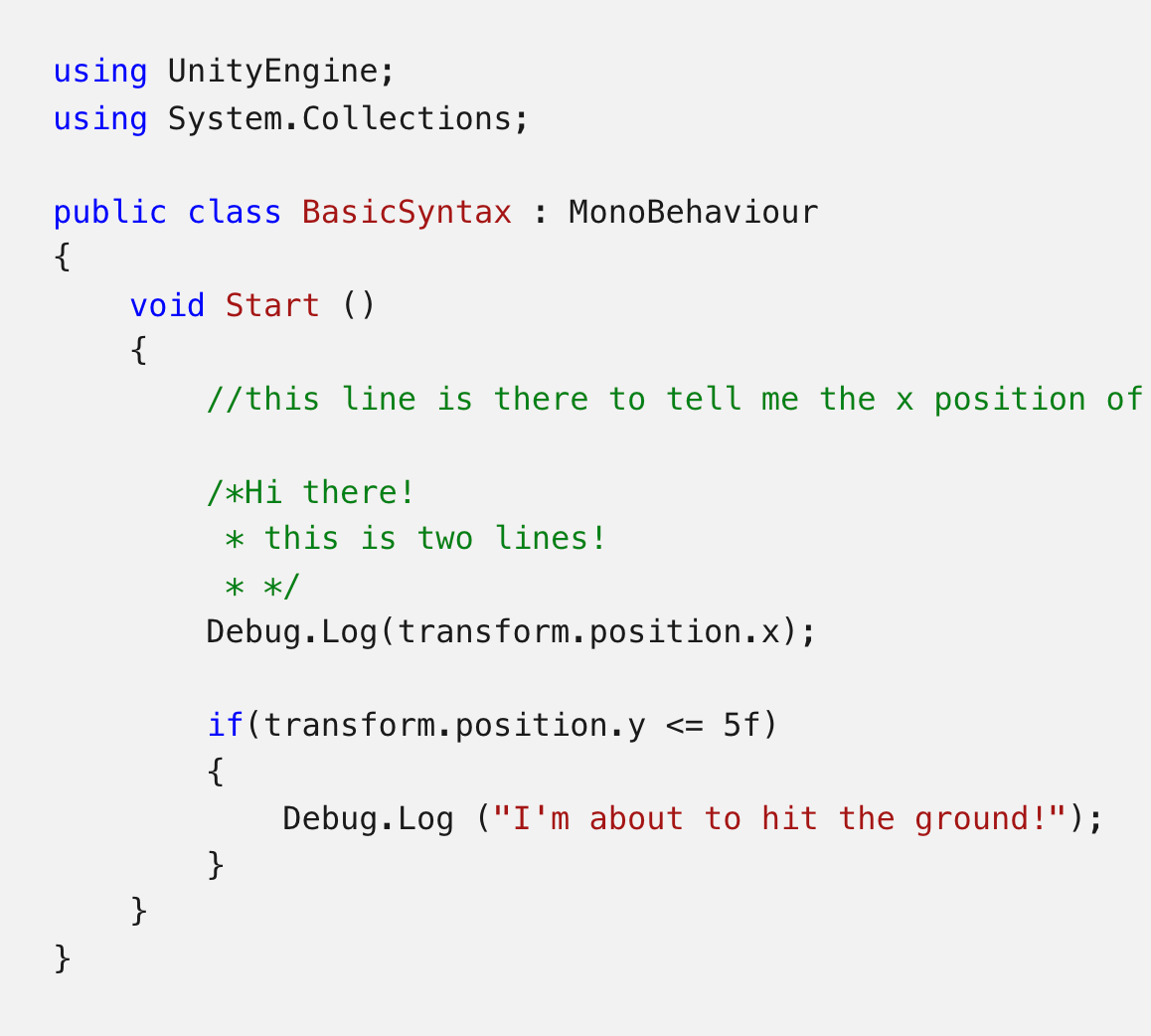
The structure of a language is referred to as coding syntax, and some standards are necessary for learning to read and write code. I can see why the dot operator is compared to an address in the video. You may effectively separate or access elements of a compound unity with the dot operator. A compound object is one that is made up of a variety elements. Transform, for example, contains position, rotation, and scale, so the dot operator is used to select position. Semicolon is another component of syntax. It is always at the end of a line and is used to conclude statements. Indentation is important but optional in Unity coding, I found. Indentation facilitates code easier to read, and you may add one by pressing the tab key An Example of code that embeds Convention and Syntax Source: Unity



Comments
Post a Comment